Feedback · captured
Clarify the homepage CTA
The client wants the next step to be clearer.
 Millstream it all comes together.
You want to know what your team got done. Your developer wants to see their hours across every project. Your client wants to know how their project is progressing. Each answer means another search.
Request a callStart in Claude Code or Codex. Your agent retrieves the latest client emails and puts what matters in Millstream. Feedback, client interactions and follow-ups stay with the project.
Your prompt
Find my latest client emails and add the insights to Millstream. Capture feedback, add new client touchpoints, and create tasks or reminders for open follow-ups.
Feedback · captured
The client wants the next step to be clearer.
Client interaction · added
Follow-up on the feedback
Reminder · created
Open follow-up
Who it's for
For small and midsize businesses and agencies that want AI working alongside them. If tasks, knowledge and projects are spread across Notion, Jira and Confluence, Millstream brings them together in one workspace.
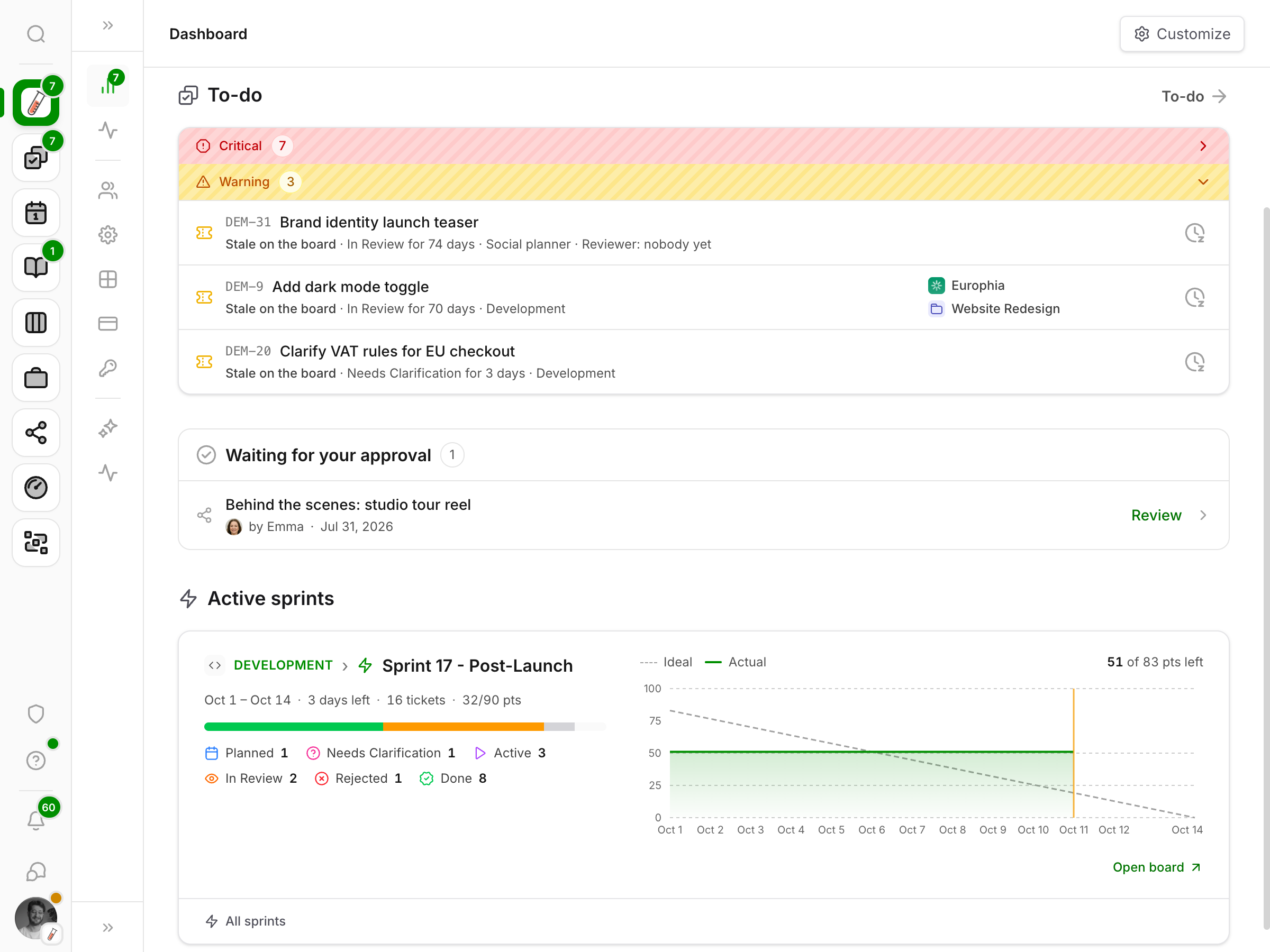
The dashboard brings open tickets, approvals and active sprints together. See what matters, what is still waiting and where work is moving forward, without opening every project first.
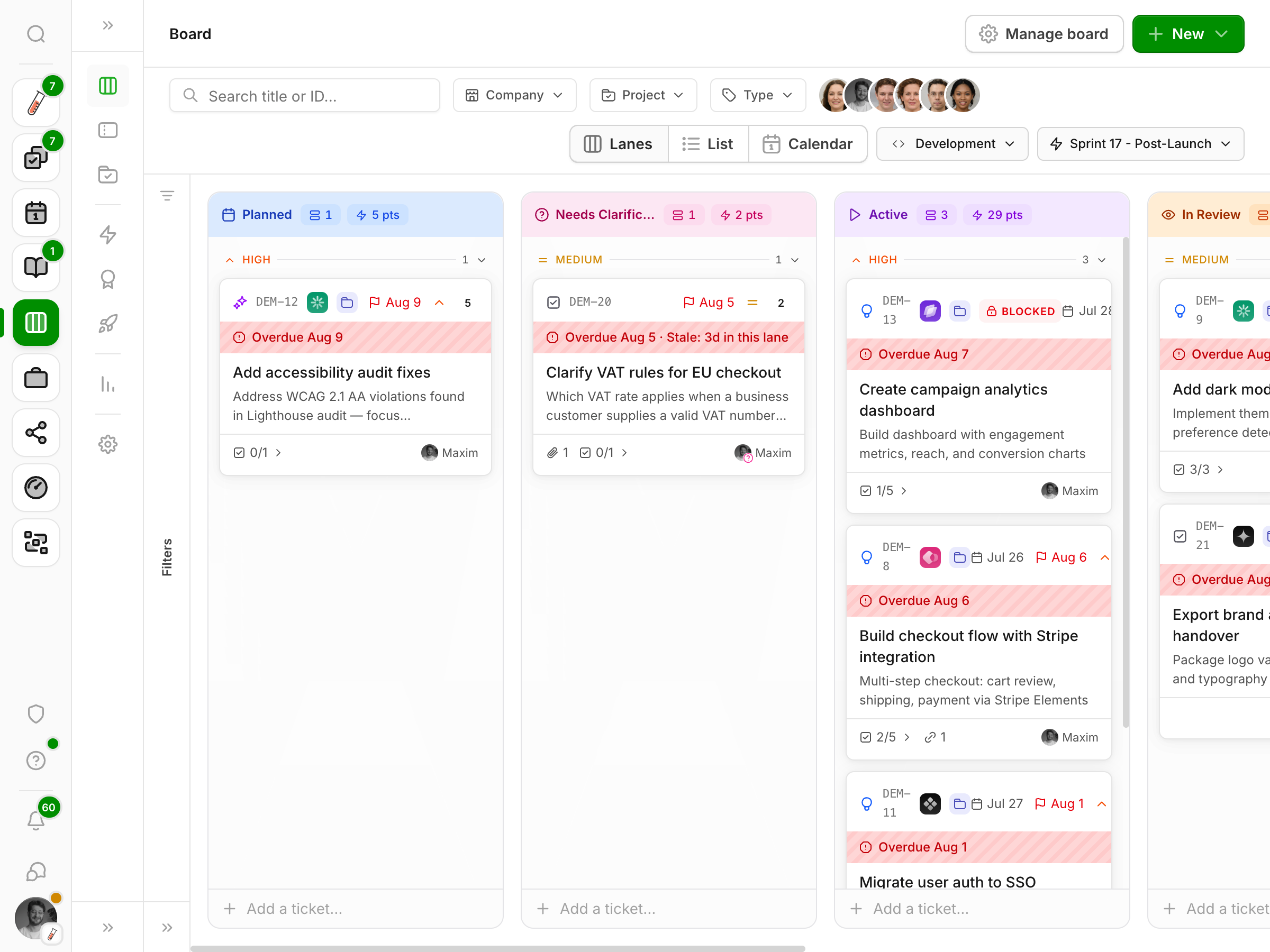
A client request becomes a ticket in its project. The board shows how far it has moved, who is working on it and what still needs attention.
Run multiple boards in one workspace. A sales pipeline moves through different steps than marketing or development, so each board has its own lanes.
Move from client to project to folder, the same route you already know. The overview shows who can access what. Open a file to see earlier versions or leave a comment.
Files, feedback and decisions stay together. Anyone joining later can find their way in a familiar structure.
| Name | Labels | By | Modified |
|---|---|---|---|
| Website brief | Brief | M | Today |
| Client feedback | Feedback | K | Yesterday |
| Writing style | Guidelines | S | 3 days ago |
Preview
OpenDocument
Website goal
Show visitors what Europhia does right away. The client reviews the concept before publication.
Access
Your agent can prepare a brief or ticket within your access rights. For a proposal, you see exactly what changes and why. You decide whether the change gets applied.
The changelog also shows what your agent did and which proposals were approved.
Maxim agent · Europhia / Website redesign
The client asks to see the concept first in their latest email. The agent proposes this change to the brief.
Before
The concept goes straight to development when finished.
After
Send the concept to the client first. Development starts after approval.
You decide what gets applied.
Tickets and planning for every team.
Contacts, decisions and access together.
Documents, versions and shared context.
Track time and travel by project.
See what's waiting on you and what needs attention.
Signals and follow-ups at the right time.
We build good ideas from the community into Millstream and make them available to everyone. You don't have to build your own solution or reinvent the wheel each time. What works for one team can help us all move forward.

Maxim Vellinga
Let's walk through how your team works and see whether Millstream is a good fit.
Millstream is in closed beta. You'll speak directly with Maxim, its maker.