Actual app · Demo workspace · Project boardView full size
Inside Millstream
Less searching. More getting done.
From the first client conversation to the final review, context stays connected to the work.
01
From idea to delivery
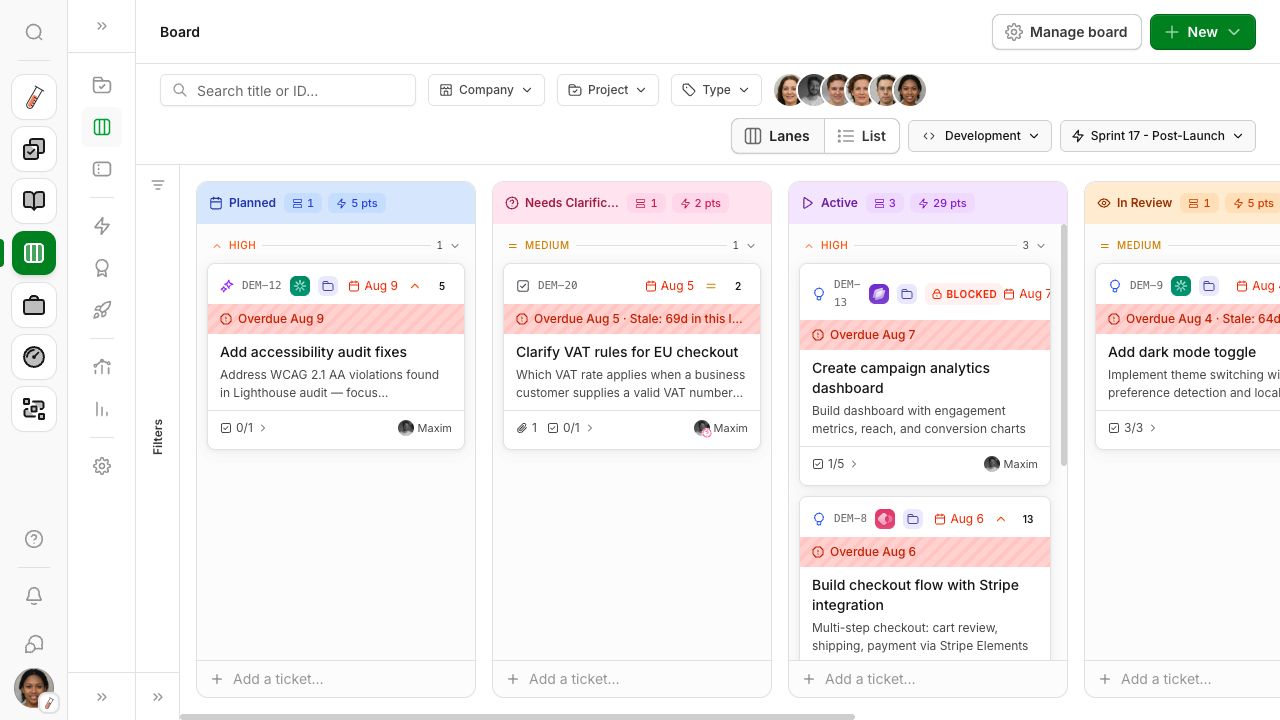
Create tickets, organise work across boards and plan sprints and releases. See what's moving, what's waiting and who's working on it.
Give each project its own board. Use epics for bigger goals and templates for recurring work. The timeline and sprint insights help you look ahead.
Boards as lanes or a list
Tickets, subtasks and templates
Sprints, epics and releases
Timeline and sprint insights
Actual app · Demo workspace · Project boardView full size
02
Your client work, connected
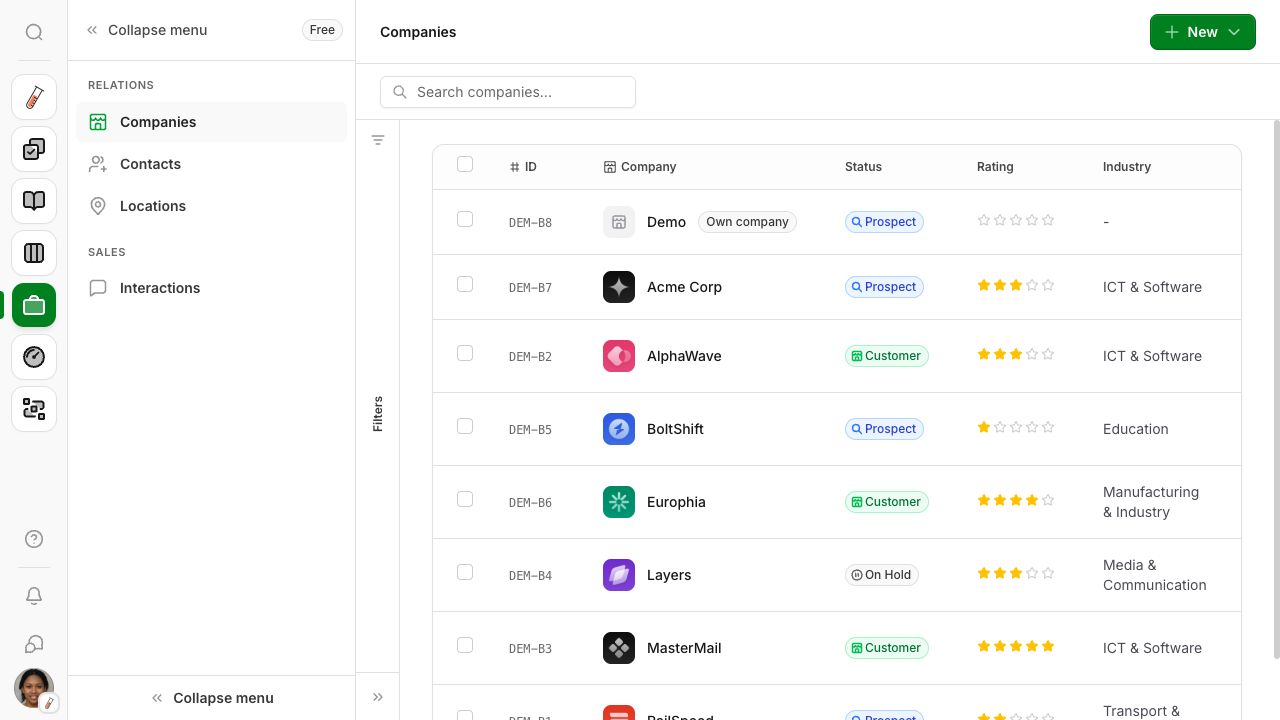
Keep companies, contacts, agreements and files with the project. Bring clients and collaborators in with the right access.
Keep companies, contacts and conversations together. See whose turn it is: a conversation is open, waiting on the other side or closed. Connect decisions and files to the project and invite collaborators with appropriate access.
Companies, contacts and quotes
Conversations with status and follow-up
Files, feedback and approvals
Access for clients and collaborators
Actual app · Demo workspace · Companies and contactsView full size
03
The same knowledge for everyone
Keep briefs, sources and files with your companies and projects. People and agents build on the same documents.
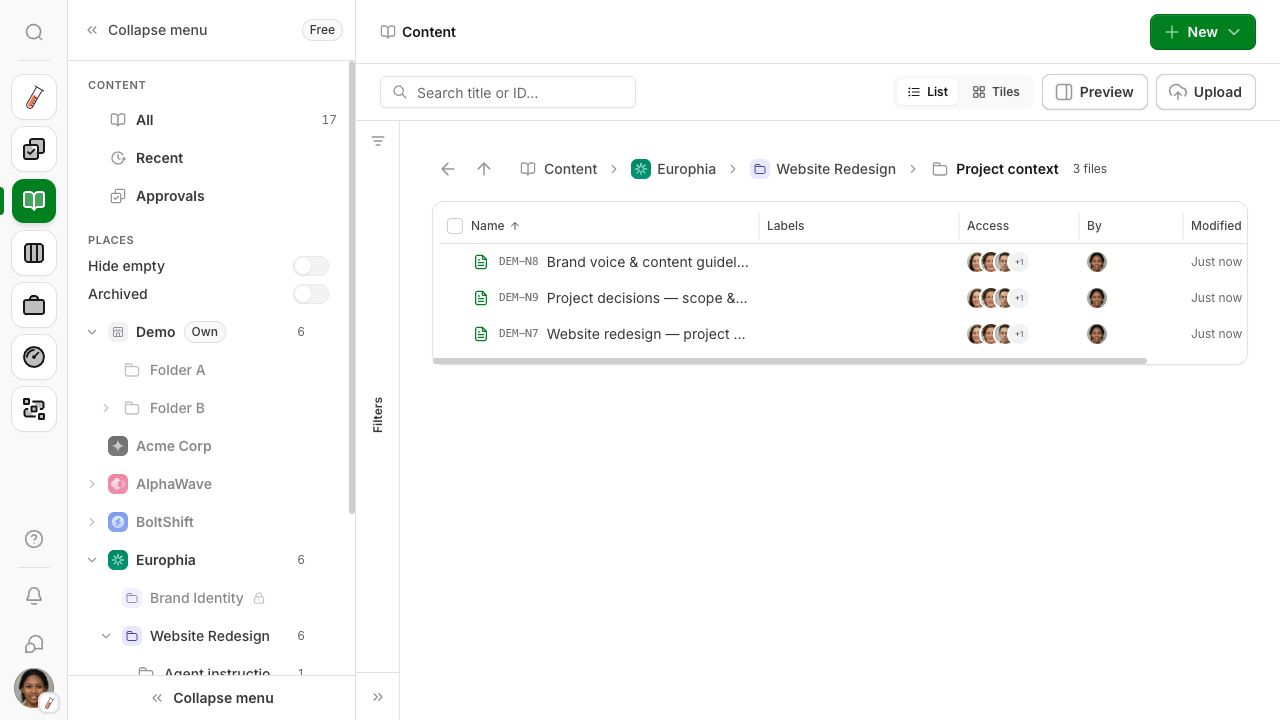
Browse companies, projects and folders in Content. Open a document, discuss it with your team and see earlier versions. Share relevant content with the right access.
Companies, projects and folders
Documents, sources and files
Version history and restore
Shared context for agents
Actual app · Demo workspace · Project knowledgeView full size
04
Know where your time goes
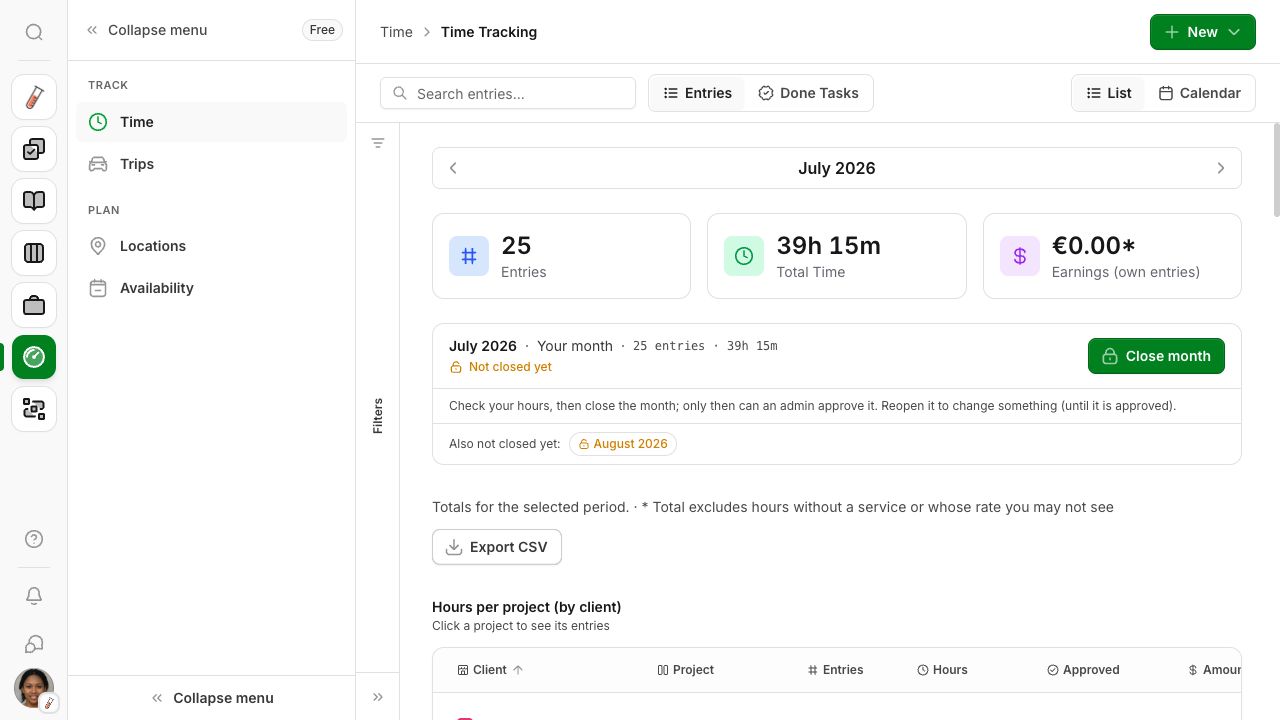
Log hours, record trips and use project rates. Review entries and close out the month.
Use the timer or add hours afterwards. Review entries by team member and period, and track which hours have been booked and invoiced.
Timer and manual entries
Trips and mileage
Project rates and services
Review and month closing
Actual app · Demo workspace · Time trackingView full size
05
Know what needs you
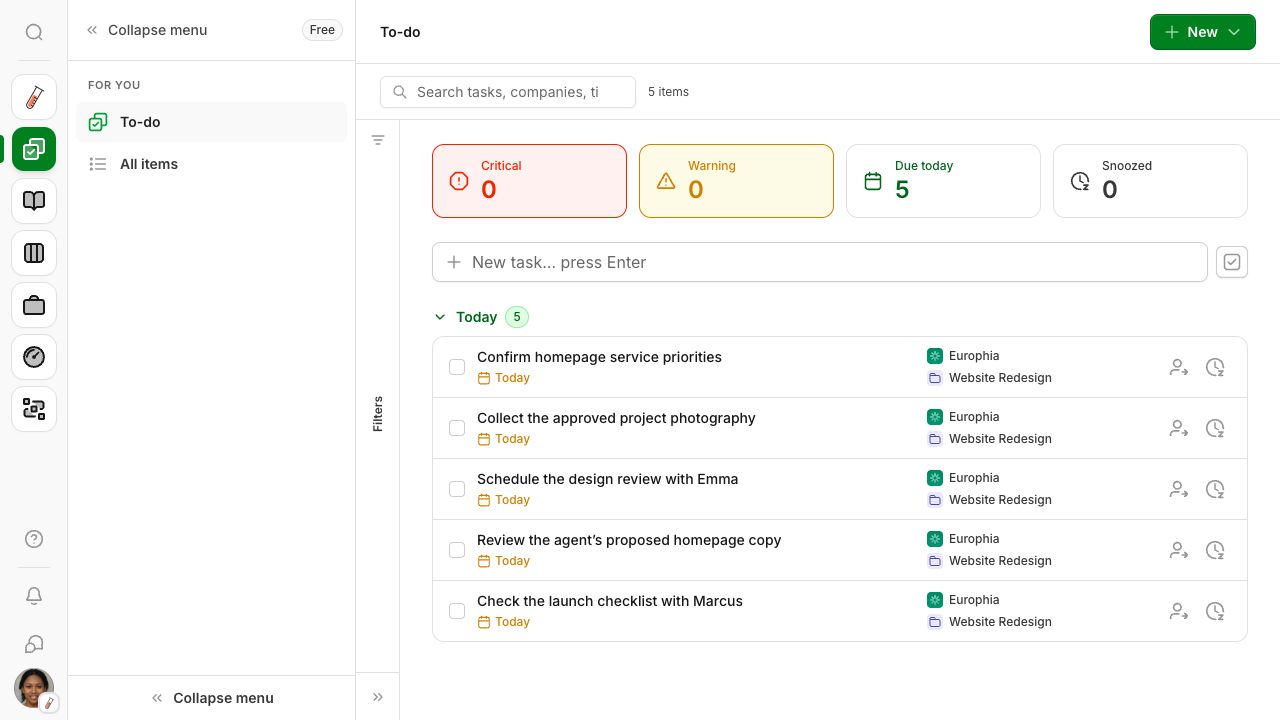
To-do brings together your tasks, tickets waiting on you and work that needs attention. Hand it over, postpone it or take it on.
Create a task for work that is not a ticket. Link a company, contact or project, set a date and assign it to a colleague. Your agent can add tasks too.
Personal tasks and due dates
Tickets waiting on you
Hand-offs and postponing
Linked company, contact and project
Actual app · Demo workspace · To-do and follow-upsView full size
06
Keep follow-ups from slipping away
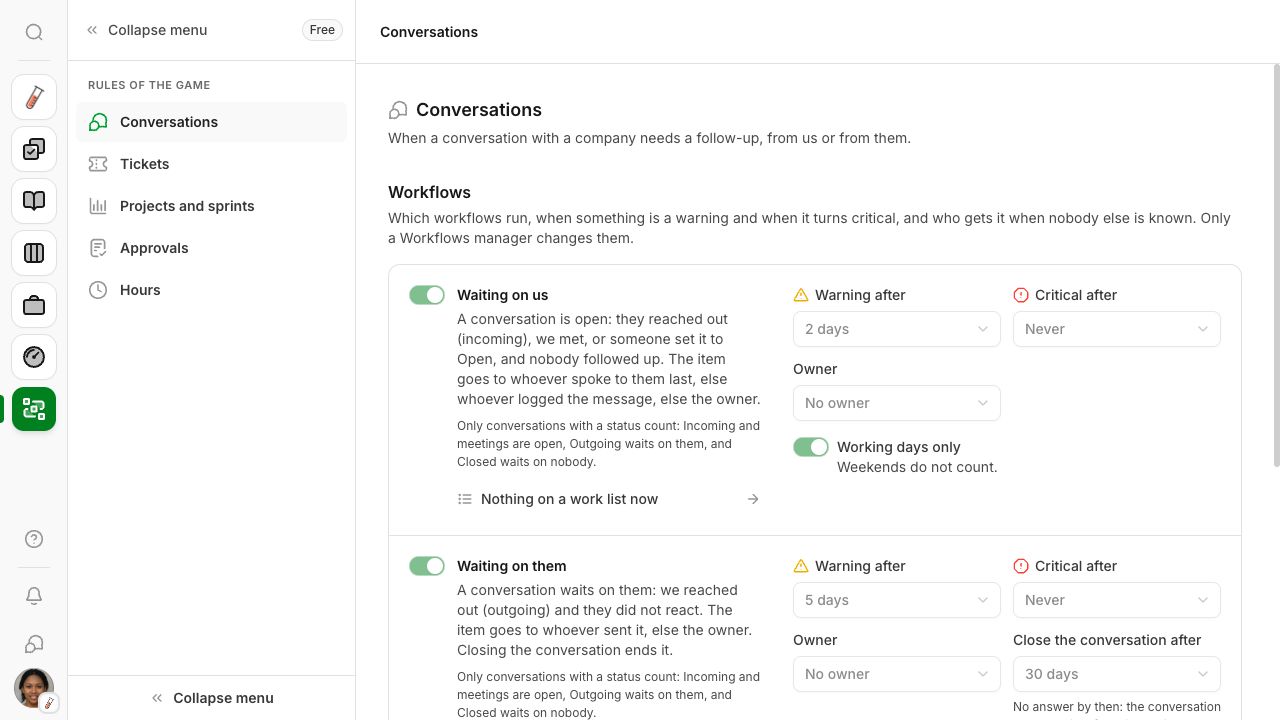
Set rules for conversations, tickets, projects, approvals and hours. Work that waits too long lands on the right person’s work list.
Decide when something becomes a warning and when it is critical. The work list follows whoever is on the ball and closes items when their cause is resolved.
Rules by subject and board
Warnings and critical work
Follow-ups for the right person
Automatic closure when resolved
Actual app · Demo workspace · Workflow rulesView full size
Also connected to your work: calendar, chat, social planning, approvals and search by ID.
Free closed beta
Help shape a better way to work.
We're inviting a small group of entrepreneurs. Leave your email and we'll get in touch when a place opens up.
Free for now. We'll tell you about a paid offering before anything changes.